History: CLWE Demo Screencast
Preview of version: 11
The idea for this CLWE subproject is to put together a really good demo movie that showcases the current functionalities of CLWE in TikiWiki.
LPH, March 13: "A video to demonstrate the features would certainly be useful. A screencast would not only make a good demo for Mozilla and UN, but also be a great marketing tool for the website.
The only feature we really need to demonstrate is the change tracking workflow. A lot of small elements will be visible from it, like the new change quantification, the links for translators and all those things. The multilingual tags and structures are not quite as mature and don't aim for a really wide audience."
Tracker item: http://wiki-translation.com/tiki-view_tracker_item.php?itemId=44&trackerId=1&show=view&reloff=9&cant=34&status=opc&trackerId=1&sort_mode=f_5_asc
Rick Sapir has made (silent) Tiki screencasts: http://twbasics.keycontent.org/tiki-index.php?page=demo+movies
I have started an initial demo (attached to this page): Working draft of demo screencast (no captions, yet)
This is based on the current 1.10 code in SVN.
Some questions:
Video is pixelated for LPH and Marc but ok for Alain?
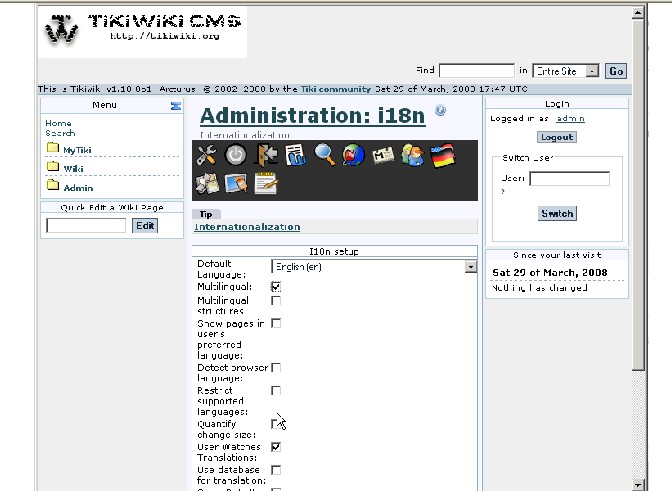
LPH, March 13: "A video to demonstrate the features would certainly be useful. A screencast would not only make a good demo for Mozilla and UN, but also be a great marketing tool for the website.
The only feature we really need to demonstrate is the change tracking workflow. A lot of small elements will be visible from it, like the new change quantification, the links for translators and all those things. The multilingual tags and structures are not quite as mature and don't aim for a really wide audience."
Tracker item: http://wiki-translation.com/tiki-view_tracker_item.php?itemId=44&trackerId=1&show=view&reloff=9&cant=34&status=opc&trackerId=1&sort_mode=f_5_asc
Rick Sapir has made (silent) Tiki screencasts: http://twbasics.keycontent.org/tiki-index.php?page=demo+movies
I have started an initial demo (attached to this page): Working draft of demo screencast (no captions, yet)
This is based on the current 1.10 code in SVN.
Some questions:
- On Frame 24, the Translation button is hidden by the right column. Shouldn't the bottom button bar wrap?
- AD: You mean the frame where you use the Translate button to translate the English page for the first time, into Spanish? I don't know why the Translate button is invisible. Probably a problem with the Tiki Theme you are using. When we use the default Tiki theme, it seems to work fine.
- On Frame 47, why does Tiki say:
Updating 'Bienvenido' based on ''
Shouldn't it say ...based on 'Welcome' instead?
- AD: That's a bug. I think I fixed it last week. You might want to update from CVS.
- On Frame 135, after assigning the German page to the translation group, why is it listed twice in the Page Translation module?
- The content is in fact not synchronized at all. The other translations do not yet contain the content of the German page and the German page does not contain the content of the other pages. This is fully expected. A simple "Complete translation" both ways will do the trick. However, this is not really a standard path, so it probably should not be part of the screen cast. Instead, modifications should be made to various pages after the initial translation to show how the translation links work.
- I must be misunderstanding... The pages are identical. I would expect, when adding a page to a translation group, some sort of option/selection to indicate if the page is a complete or partial translationn. You're saying that I still need to open both pages (DE and EN) and and select Complete? That seems like an extra 2 steps.
I disagree that his is not the standard path — my translators for Smarties typically:- View the source of an EN page.
- Copy the source to their local PC.
- Use some local editor to create the translation (Tiki's editor is simply too cumbersome for "special" characters and UTF encoding issues).
- Create a new wiki page for their translation
- Paste the text from their local PC to the wiki page.
- Assign the page to the existing translation set.
- Additionally, I don't understand why the DE page is listed twice in the Page Translation module: it is under both "Better" and "Need improvement." How can this be?
- I must be misunderstanding... The pages are identical. I would expect, when adding a page to a translation group, some sort of option/selection to indicate if the page is a complete or partial translationn. You're saying that I still need to open both pages (DE and EN) and and select Complete? That seems like an extra 2 steps.
- The content is in fact not synchronized at all. The other translations do not yet contain the content of the German page and the German page does not contain the content of the other pages. This is fully expected. A simple "Complete translation" both ways will do the trick. However, this is not really a standard path, so it probably should not be part of the screen cast. Instead, modifications should be made to various pages after the initial translation to show how the translation links work.
Video is pixelated for LPH and Marc but ok for Alain?
History
SideMenu

Latest Changes
No records to display ...more
Translate Updates
Search
Log In
Upcoming Events
No records to display